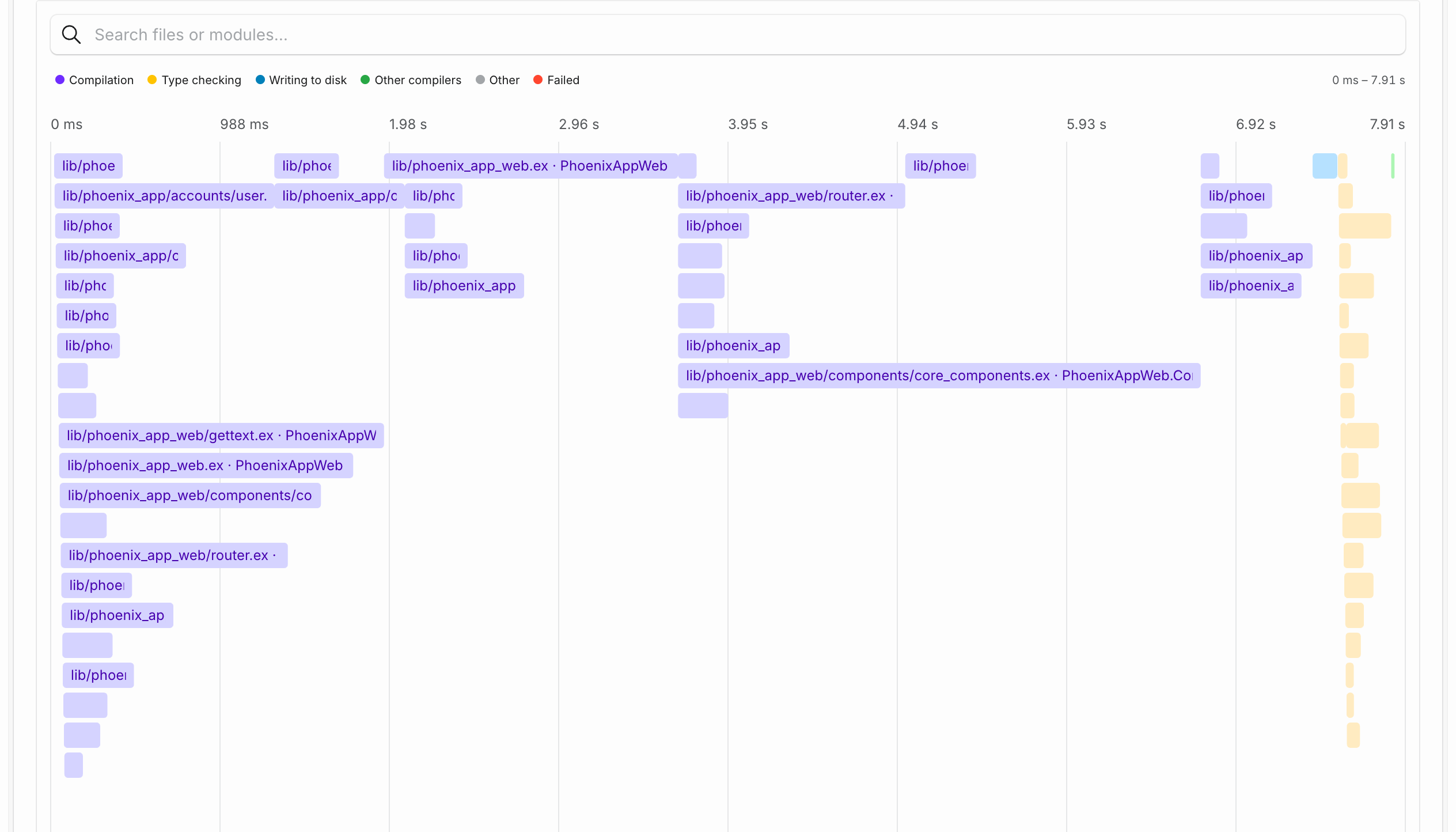
Cache volumes now support macOS runners on fleets where the feature is enabled. GitHub Actions, Buildkite, and GitLab CI jobs can keep dependency downloads between runs by attaching a volume with a stable key and directory, such as ~/.npm or ~/.gradle/caches.
Each job gets its own writable copy of the saved contents. Eligible successful jobs on the default branch save changes for future runs, while pull requests and parallel jobs can reuse the cache independently. Linux and macOS volumes stay separate, even when they use the same key.
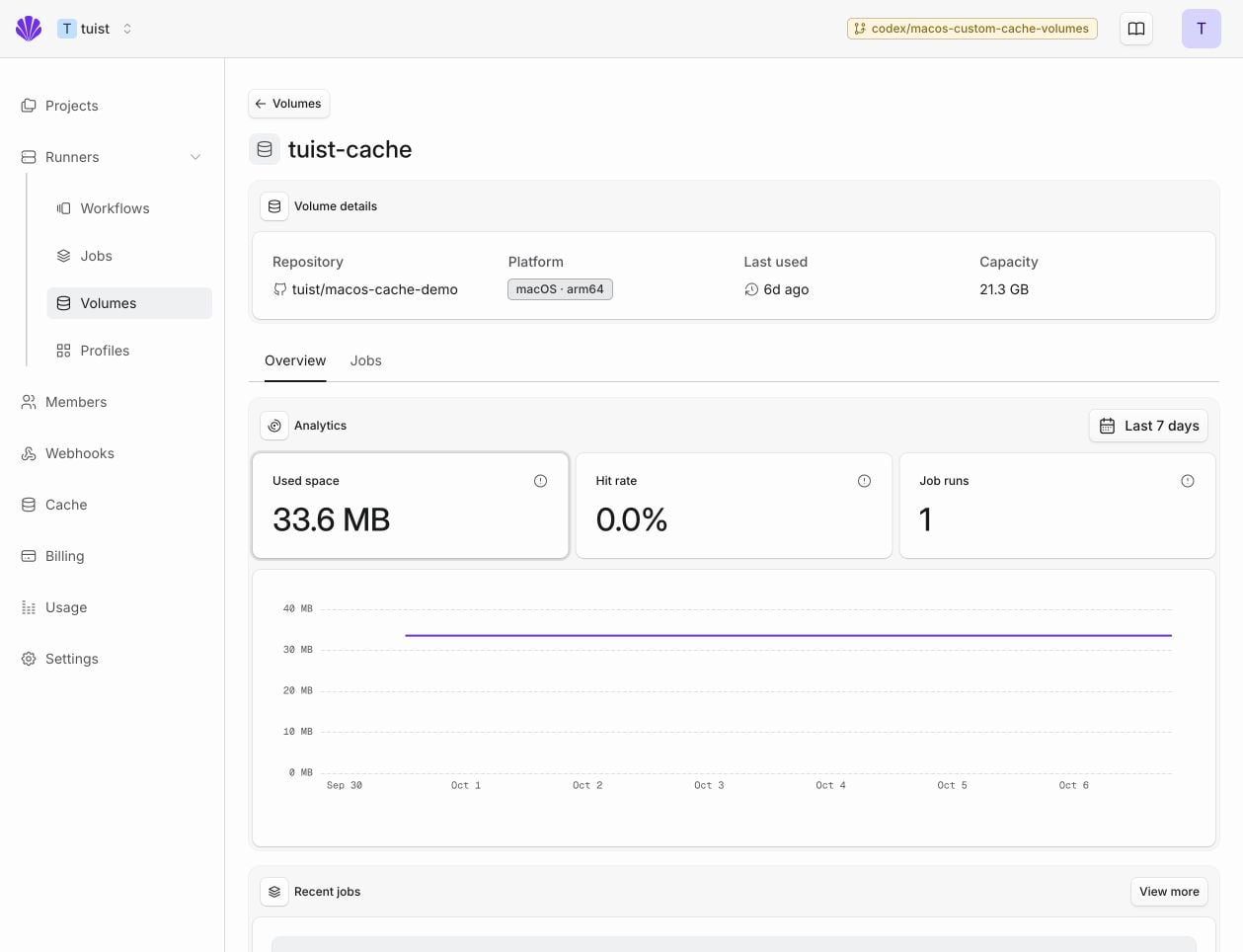
Open Runners → Volumes to see macOS and Linux volumes together. Each volume has storage trends, cache hit rates, and a history of the jobs that mounted it. The existing Tuist and Xcode compilation cache also appears here as measurements arrive, alongside the volumes you add to your workflows.
On macOS, use volumes for download caches; node_modules and tools that replace their cache directory are not supported. The cache volumes guide covers setup for all three CI providers and how changes are saved.
You can now block a pull request when its bundle grows by more than a fixed size, such as 1.5 MB, instead of a percentage of the baseline. The allowed increase stays the same as your app grows.
In Settings → Bundles, add or edit a threshold, choose Install size or Download size, and select Absolute size (MB). MB uses decimal units: 1 MB = 1,000,000 bytes.
Existing percentage thresholds are unchanged, including fractional values such as 0.47%. Both types compare against the latest matching bundle on your baseline branch and keep the same GitHub check and approval flow.
See the bundle insights guide for configuration details.
Coding agents connected through Tuist's Model Context Protocol server can now subscribe to events when a test is marked flaky, a build or test run fails, or a Tuist runner job fails. The client chooses a project for build and test events or an account for runner jobs, and provides a verified callback. It controls which events reach it and what to do next.
Each event includes a resource identifier and a link to its details. The agent can use Tuist's existing tools to inspect the failure and start debugging. Subscriptions expire unless the client refreshes them, and delivery stops if the relevant access is removed.
Runner job steps now show a timeline alongside their duration. Every row shares the same time axis, so you can see when each step started, how long it ran, and which steps account for most of the job's time.
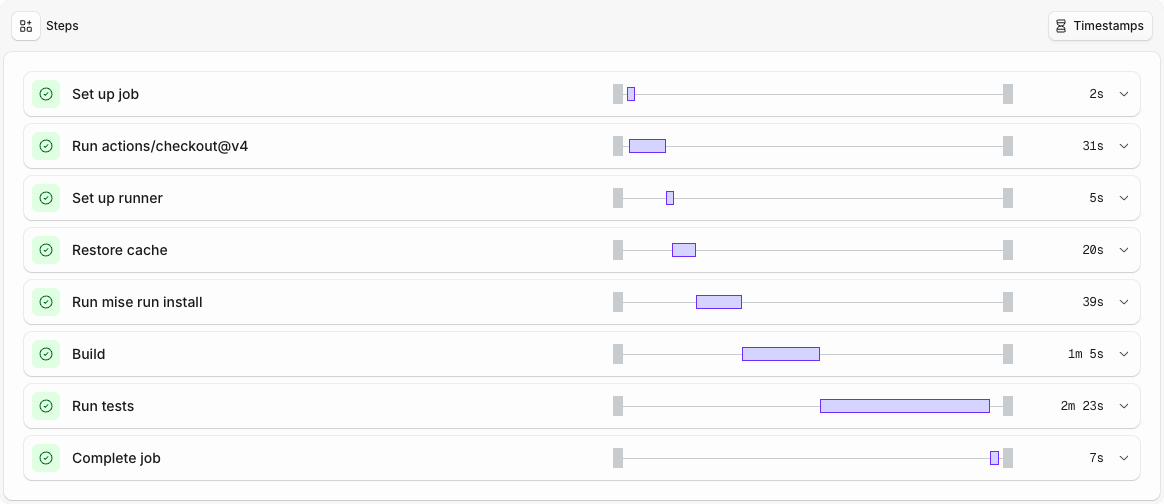
The bars follow each step's status, including failed and cancelled steps. Expand a step to inspect its logs as before. On smaller screens, the timeline hides to keep step names and durations readable.
Test run and build run pages now have a PR button in the header, next to CI Run, so you can open the pull request a run came from on any tab.
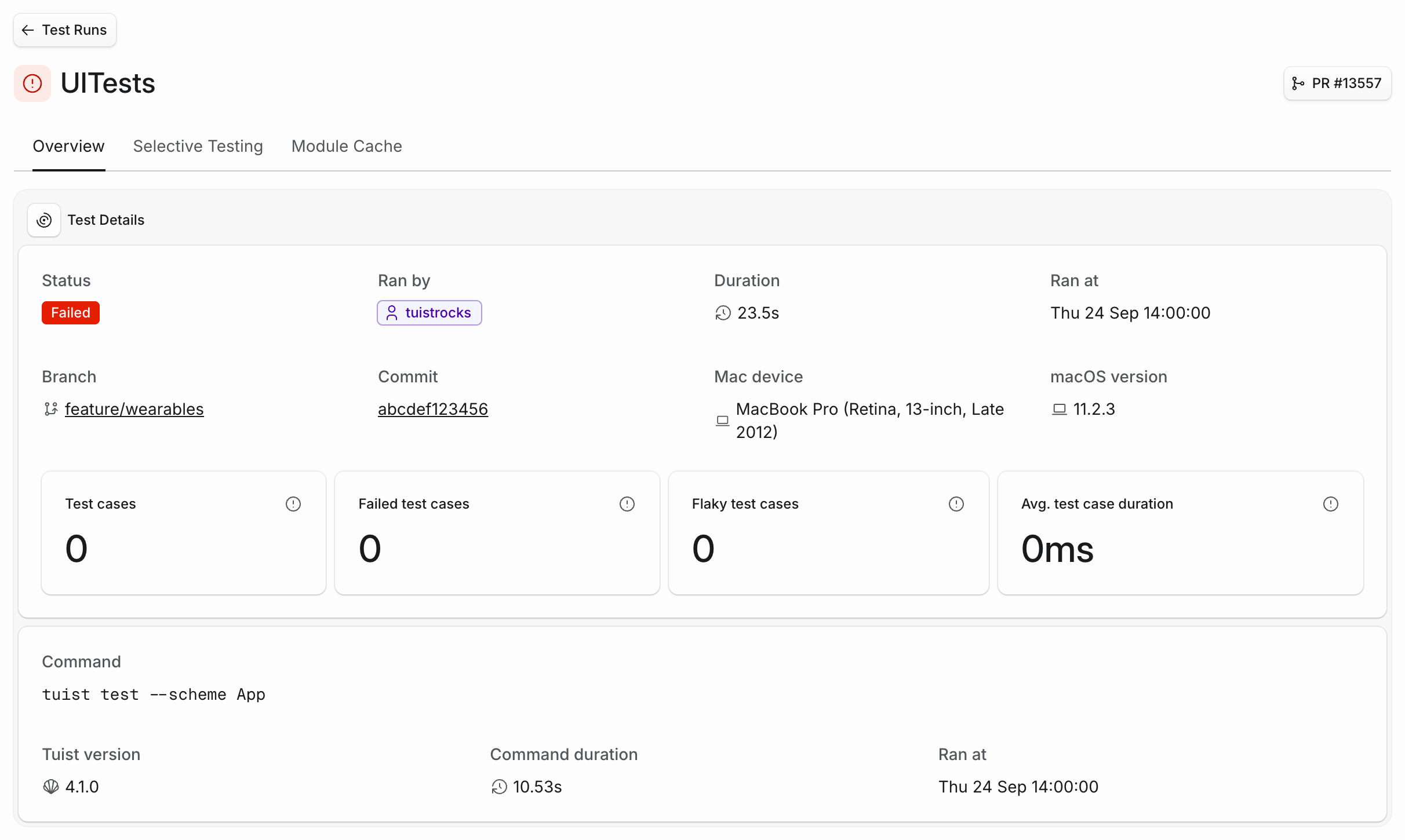
Tuist reads the pull request number from the Git reference your CI reports, such as refs/pull/123/merge on GitHub Actions, and links to the GitHub repository connected to your project, including GitHub Enterprise Server. The button shows up only for runs from a pull request in a project with a connected repository.
Organizations that set up single sign-on with Okta or a custom OAuth 2.0 provider before login email domains were introduced now find their domain already filled in under Authentication settings, together with the text record to publish. Add the record to your domain's DNS and click Verify domain. Once verified, members can find your provider from the login page by entering their email, existing Tuist accounts are linked to your provider when they sign in, and single sign-on enforcement, if enabled, also applies to new sign-ups from your domain.
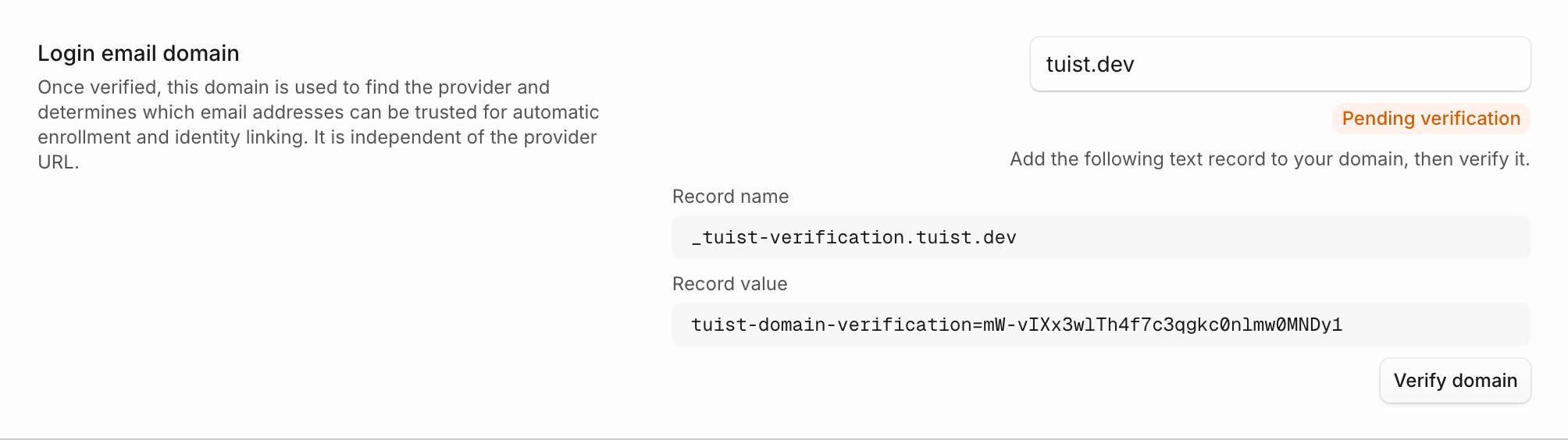
Nothing changes until you verify: sign-in, enforcement, and automatic enrollment keep working as they do today. Verifying also limits automatic enrollment to addresses on your domain, rather than any address your provider reports.
Domains verified from now on are also re-checked daily, so keep the record published. If the record stops resolving, the settings show Verification expiring along with the record to publish again. The domain stays verified for 14 days, so a temporary DNS problem does not interrupt sign-in.
GitHub treats repository owner and repository names without regard to capitalization, and Tuist now does the same when exchanging an OpenID Connect token for a CI access token. A project connected as Tuist/Example continues to authenticate workflows that report tuist/example.
Tuist also refuses to issue a CI token when the same GitHub repository is connected to projects in different Tuist accounts. The integration settings identify the affected accounts so you can remove the extra connection and restore authentication. This keeps every CI token scoped to one Tuist account.
When adding a project connection, Tuist verifies that the selected repository is available to that account's GitHub App before saving it.
The Tuist Server and Kura images on GHCR now follow the same three-channel release train that the Tuist CLI has been on for a while. Instead of a single stable image cut on every merge, self-hosted operators can pick the channel that matches how close to the edge they want to run.
ghcr.io/tuist/tuist:X.Y.0-canary.N is published on every merge to main that touches the server. Canaries are the bleeding edge, marked as GitHub prereleases, and never move :latest. Pin them explicitly if you want to track main.ghcr.io/tuist/tuist:X.Y.0-rc.N is published every Monday at 06:00 UTC from a releases/server-X.Y.x branch cut off main. Release candidates soak for a week; fixes ride onto the release branch as cherry-pick pull requests before the next -rc.(N+1) is cut.ghcr.io/tuist/tuist:X.Y.0 is the stable release, published the following Monday when the previous week's release candidate is promoted. Only stable releases move :latest, and only stable releases are picked up by mise or any other package manager that excludes prereleases by default.
Kura ships on exactly the same cadence: ghcr.io/tuist/kura:X.Y.0-canary.N, -rc.N, and stable move in lockstep with the server's train, and both trains fire on the same Monday morning as the CLI's promote job.
If you currently pin :latest, nothing changes for you today: :latest will keep tracking the newest stable, just on a weekly rhythm rather than a per-merge one. If you want the bleeding edge or a soaked candidate, the new tags are yours to pin.
GitHub Actions, Buildkite, and GitLab CI jobs on Tuist Linux runners can now reuse dependency directories with cache volumes on fleets where the feature is enabled. Use the GitHub action, Buildkite plugin, or GitLab attachment command. Choose a cache key and a directory, such as Gradle's dependency cache, and each job gets its own writable copy without downloading and extracting a cache archive.
Eligible successful jobs on the default branch save changes for future runs. Pull requests can reuse the cache in private copies, so parallel jobs can work independently. Volumes start with a 20 GB capacity and expire after seven days without a job mount.
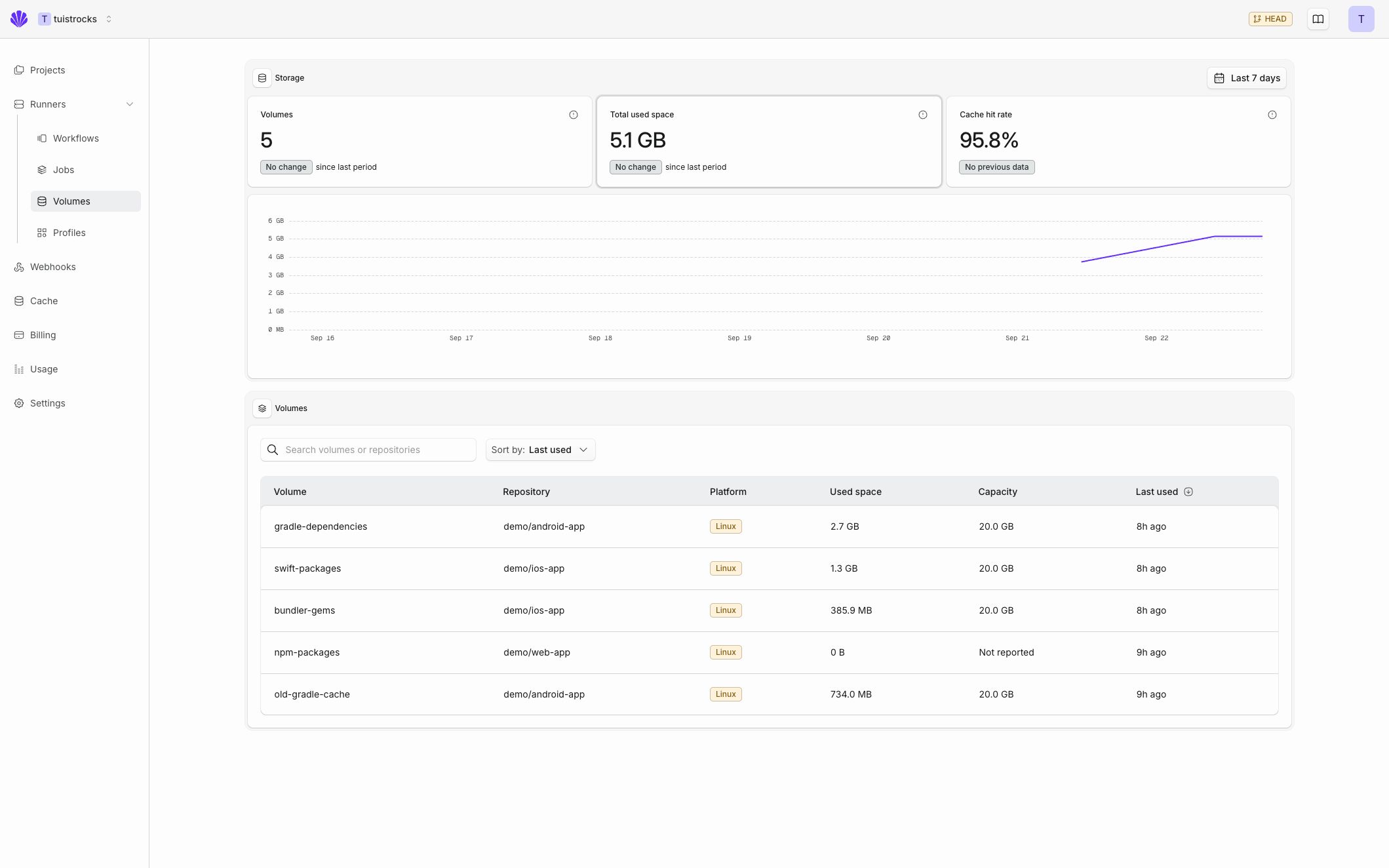
The new Runners → Volumes page brings storage trends, cache hit rates, and job history together. Open a volume to see which workflows used it, follow a job back to its volumes, or clear its saved contents to start fresh.
See the setup guide to add a volume to your workflow. This first version supports Linux; macOS support will follow separately.