Automations that mute flaky tests recover them when the condition clears. With a flakiness rate measured over the last 30 days, that means an old flake keeps a fixed test muted for weeks. And if a separate automation decides when to unmute, the two can disagree, which can leave a healthy test muted for good.
Recovery now has a Recover when option. Pick No new flaky runs and choose how long the test has to stay quiet, either a number of days or a number of runs. The wait starts after the test's most recent flaky run, and every new flake restarts it. Once a test recovers, only a new flaky run mutes it again, so earlier flakes still in the trigger window can't put it straight back. For reliability automations, the option is called No new failing runs and counts failures on your default branch.
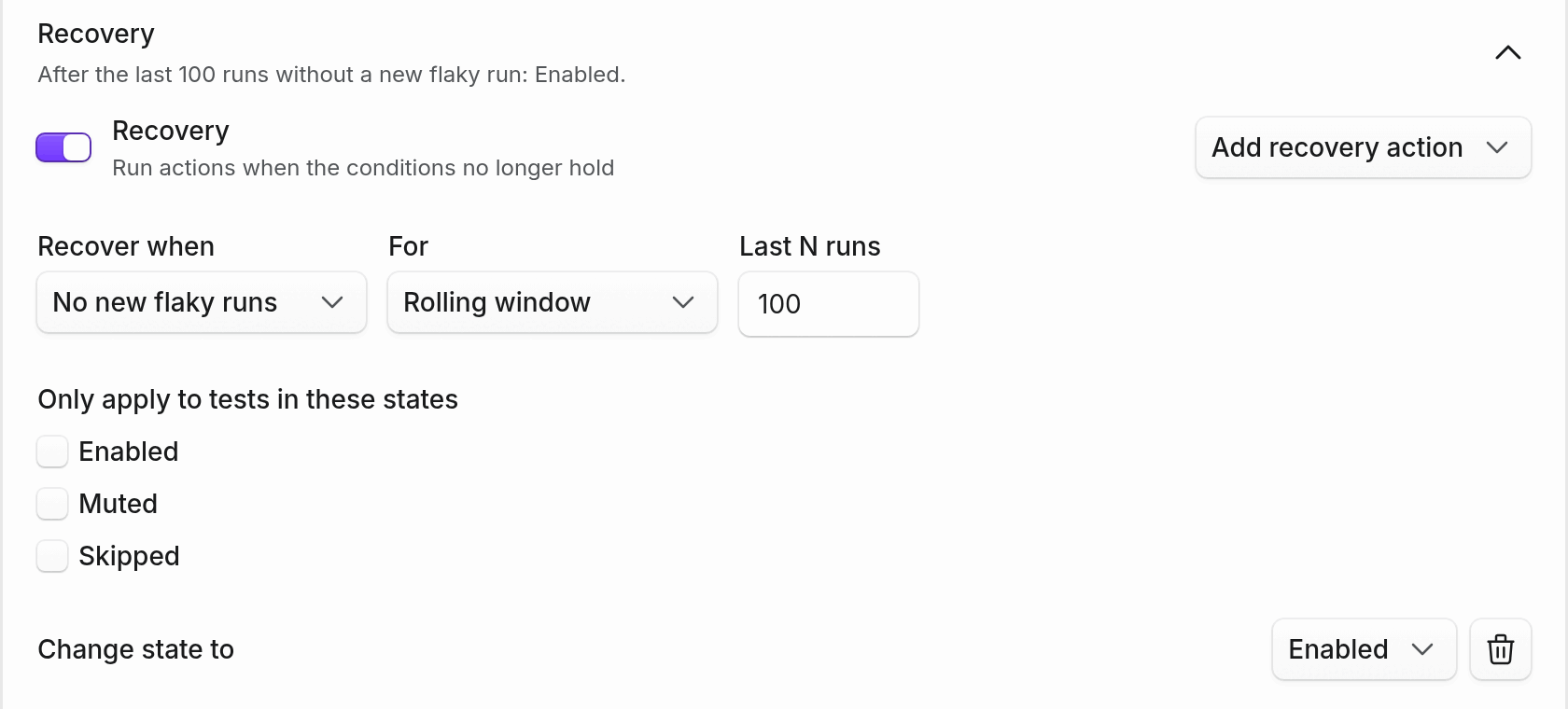
To turn it on, open Project Settings → Automations, edit your automation, expand Recovery, and set Recover when to No new flaky runs. Existing automations keep recovering when the condition clears until you change them. If a separate recovery automation has already left tests stuck muted, unmute those tests once by hand after switching. Learn more in the flaky tests guide.