Gradle build details now explain cache work that previously appeared only as a miss. The cache tab distinguishes confirmed remote misses, the time spent executing after those misses, and outputs stored for later builds. Its task table also identifies the reason a cacheable task ran again.
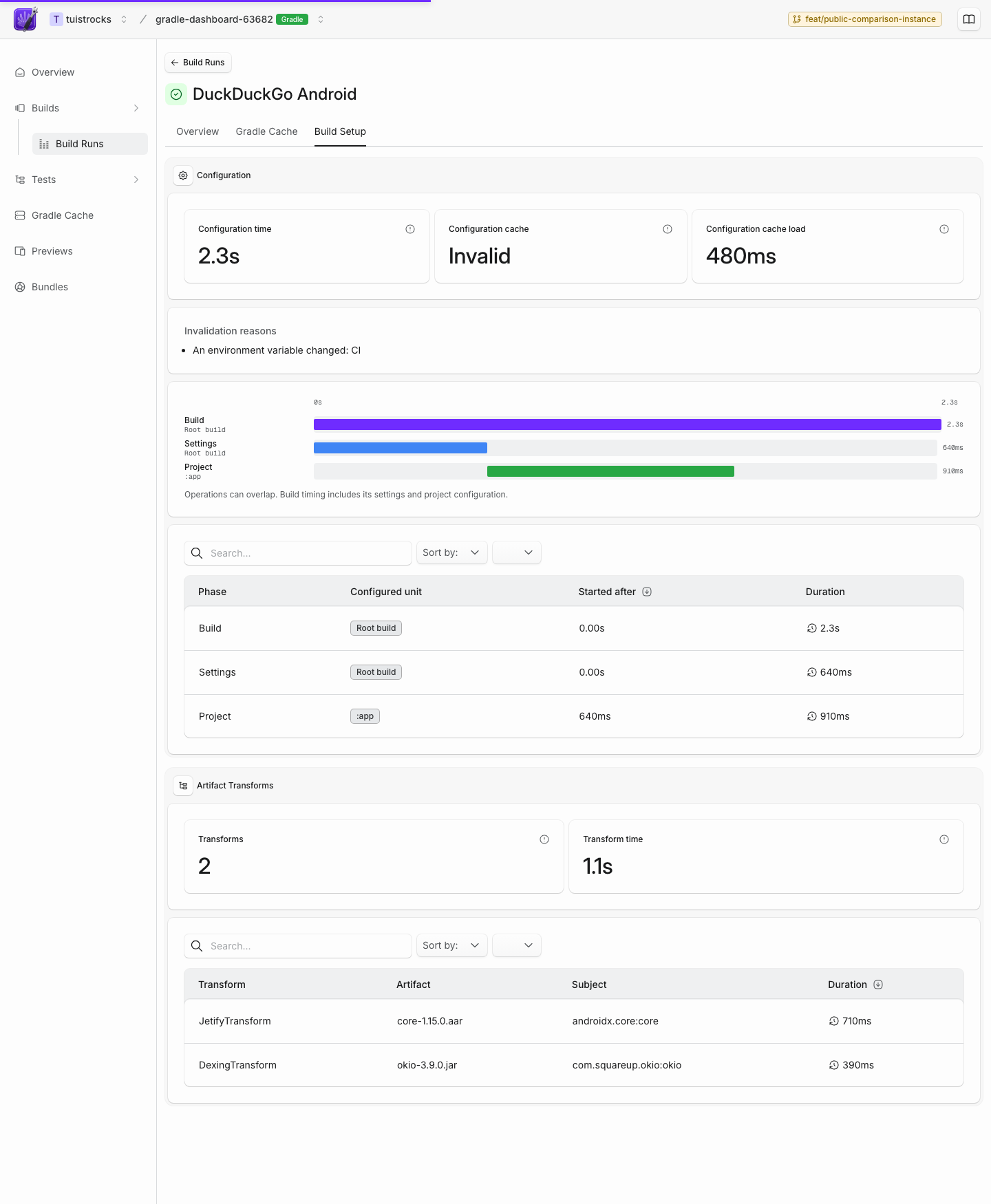
The new Build Setup tab shows configuration work by build, settings, and project phase. When Gradle uses its configuration cache, the tab records whether it was reused and lists invalidation reasons. It also lists the slowest artifact transforms, so dependency setup costs are visible beside task execution.
Existing Gradle integrations remain compatible. Older build reports continue to render normally, while newer plugin versions contribute the additional diagnostics when they are available.