Turning AI agents into doctors for your project's health
It's 8 am and the alarm goes off like every morning for David. He takes a shower, makes himself a quick coffee, and rushes to catch the public transport to his company's office in Berlin's Kreuzberg district.
The company that employs him has an app used by billions of users. He joined when they were just 5 people, working as an app developer focused on product. But things look very different today. The company has grown to a thousand employees, and he transitioned to a new team that leadership deemed necessary: the platform team. "You'll work on making your colleagues productive," he was told. It sounded exciting at the time, but David had little idea what the job would actually entail.
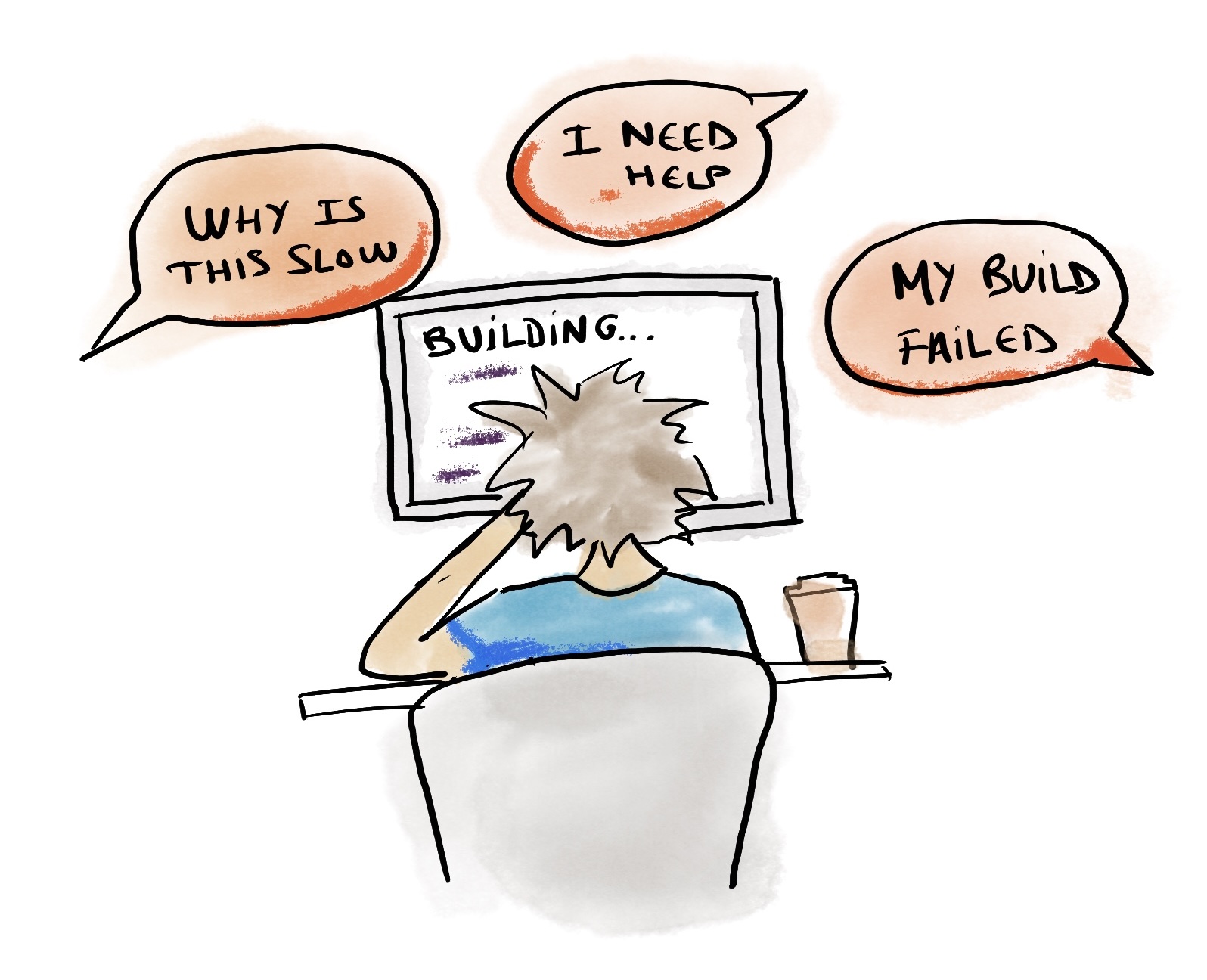
As soon as he started, he became the go-to person for the "I don't understand" errors popping up in CI logs. It was fun initially, but as the volume increased, he started to notice a pattern. Since it was easier to ping David than to invest energy debugging the issue, his peers leaned on him constantly. He was becoming the doctor for every "things are broken" or "things are slow" pain. He had to learn the intricacies of Xcode and Gradle build systems to debug and fix the most obscure issues that emerged. Every morning felt like opening a clinic: a queue of symptoms, a stack of logs, and him as the only one who could read the X-rays.
With the growth of the product organization, things became unmanageable. At the same time, he couldn't get a headcount because he hadn't found a framework to measure the impact of his work. Leadership asking him to investigate what it would take to move to React Native didn't help either. They'd heard from Shopify's CEO that they'd been successful doing that and had seen a great impact.
All the knowledge David had acquired about the underlying tools was locked in his head, not shared across the organization. So even after introducing a tool to help with the Gradle side of things, most people didn't bother going deep to understand it. On one side, he became an indispensable piece in the org. On the other, putting down fires was not something he would enjoy doing for the long run.
But this week was different. It was quiet. He arrived early to the office, left his remaining coffee on the table, turned on the computer, and with a few commands, he had Xcode and Gradle data and blobs flowing to and from Tuist. The interface was more polished than his previous tool, but he felt nothing would really change. That feeling lasted just a few minutes, until he tried something that would change his team's culture entirely.
Every platform team has a doctor problem
David's story is not unique. Developers becoming doctors of their product teams' projects, tools, and generated artifacts is extremely common. In fact, we at Tuist were starting to become doctors of our own users' data. They would come to us asking for solutions to problems that were not directly related to Tuist itself. Helping them felt like the right thing to do, but we soon realized we needed a different approach if we wanted to scale that kind of support. They say that if you listen to and observe your users closely enough, you can learn a lot about what they need. Turns out we had the best example right in front of us. We just had to connect the dots.
When you think about what it takes to be a good doctor, there are two fundamental ingredients:
- The data: What's happening in the workflows developers run, the builds they trigger, the tests they execute.
- The knowledge: What that data represents in a broader context, for example, how a build system uses it, what patterns signal trouble, and what optimizations are possible.
The data is something we had already been collecting at Tuist. First from Xcode builds and test runs. Later from the Gradle build toolchain. We had built the infrastructure to persist it over time and across environments, and we made it available through web-native APIs like our HTTP REST interface. But what about the knowledge? That's when we realized that the LLM frontier models people have been using might already have the right amount of knowledge to understand the data we expose. And we could extend them with additional context when needed to make them even more effective at their job.
What if we could turn LLM-based agents like Codex or Claude into a project health doctor by feeding them with the right data and knowledge? A doctor that any developer in the organization could consult, not just the platform team. A doctor that never sleeps, never context-switches reluctantly, and scales with the size of the organization.
Building a virtual platform team
Going deep into every toolchain is not an attractive task for most businesses. However, every company sooner or later ends up with a platform team, even more so in the world of agentic workflows where the need for optimizations comes earlier. So what if we could become a virtual platform team, or at the very least, a copilot for platform teams like David's?
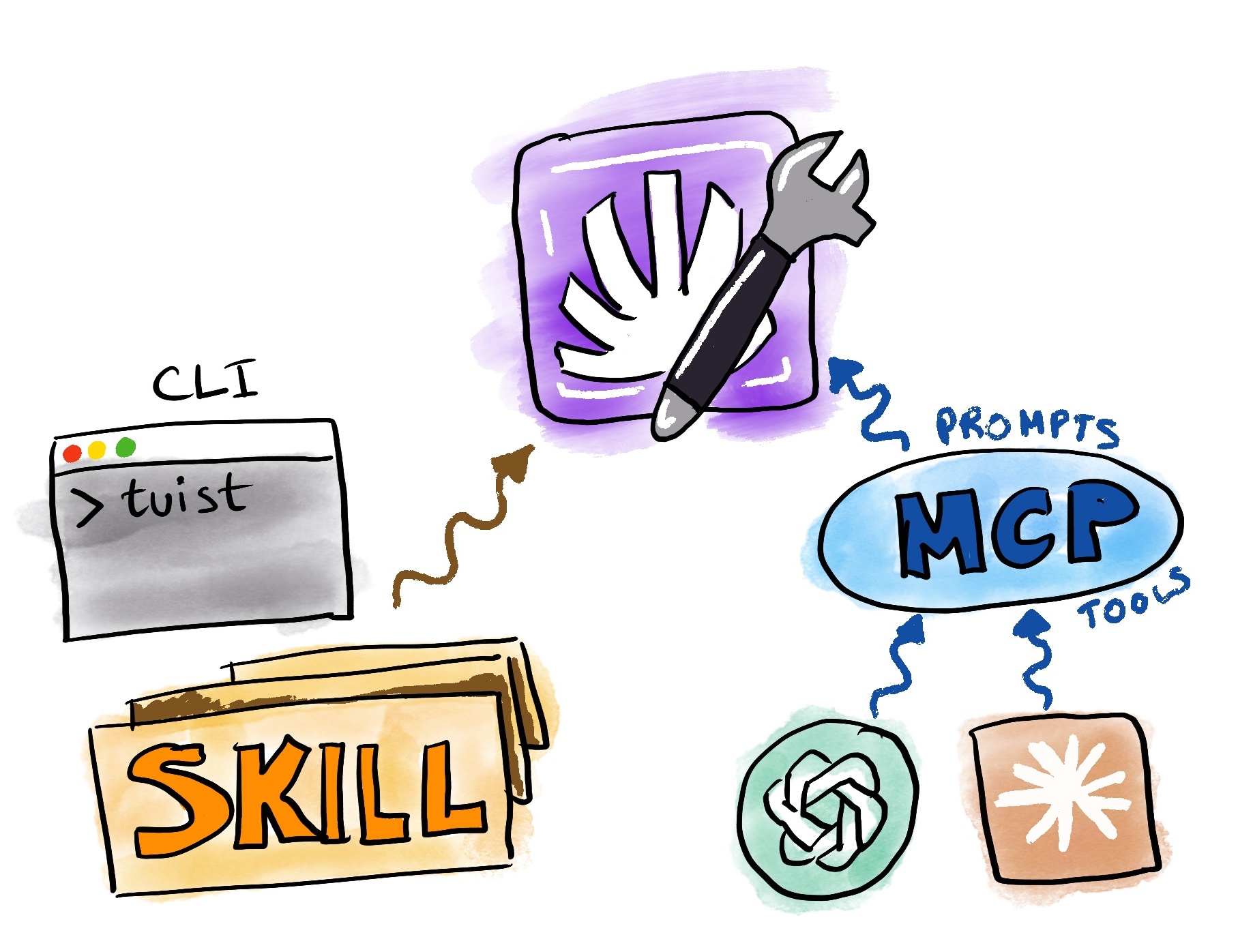
In the past weeks we have been investing in the first pieces to enable that vision: making all the data accessible, and providing additional knowledge through skills for the common use cases we are seeing among our users. How you interface with that data is your decision, but we provide two main options:
- CLI + Skills: We solved distribution of the CLI years ago, and coincidentally, CLIs became trendy again because they play well with coding agents. This positioned us well and made the CLI a great candidate for providing a read interface to project data. Most of our data is now exposed through CLI commands. Additionally, we have created skills that complement the CLI commands and make agents more effective at their job.
- MCP: We have also exposed an authenticated MCP server that provides similar capabilities using MCP primitives: prompts and tools.
You will likely see discussions on the Internet about MCP vs CLI. We believe both have pros and cons, so we prefer to leave it in your hands to decide. If you are already using the CLI, you might be better off sticking with it since it also manages your session for you. However, we have not really solved skills distribution and updating as an industry, so that side is still a bit rough. On the other hand, MCP setup and authentication is very convenient since the LLM client can handle the auth flow and session management. This makes Tuist's data accessible to roles that don't necessarily have the CLI installed. For example, an executive or director of engineering could look at flakiness data by just adding the MCP to their LLM desktop app. However, if you need to act on the data, you likely need the codebase and the CLI, so having an MCP might feel redundant in that scenario.
What follows are some use cases showing how agents can become doctors of your project's health.
Diagnosing and fixing flaky tests
Flakiness is one of those chronic conditions that slowly erodes developer trust in a test suite. It requires analyzing test data across many runs, spotting patterns, and understanding the root causes. Tuist does that work. We know which tests are flaky, and we expose that information through our read interfaces. What that means is that you can start your agentic coding session and simply tell your agent:
The coding agent will use the CLI or MCP to pull flakiness data, then leverage a skill or prompt that provides guidelines on how to fix those flaky tests. It's like handing a doctor the patient's full medical history and asking them to prescribe a treatment. Long-term, we would like to do that proactive work for you so that flaky tests get fixed automatically, but one thing at a time.
Understanding why a build or test run failed
When things fail, whether it's a build or a test suite run, developers typically go to the logs and try to understand the errors themselves. This can get tricky, especially if you are not very familiar with the codebase, its internals, or the underlying toolchain like Gradle or Xcode's build system. All the diagnostics data necessary for that analysis is collected by Tuist through our insights feature. So all you need to do is hand the agent the URL:
The coding agent can pull information from that build (warnings, build errors, tasks, timings) and diagnose what the issue might have been. While the information for diagnosing might technically be in the logs, structured build data often provides additional signals that help diagnose issues more effectively and suggest a better set of next steps. In practice, this means that teams don't need to walk over to the platform engineer and treat them as a doctor. They can be doctors of their own work. The agent reads the X-rays so the developer doesn't have to.
Diagnosing why a bundle size is too large
Our bundle insights feature allows teams to understand how size is distributed across their app bundle. Sometimes the size is larger than it should be because resources are duplicated, or optimizations that could have been applied were missed. Through the dashboard, people can traverse the bundle structure and try to diagnose issues themselves. We do too, but there are scenarios we haven't codified deterministically yet. So what if agents could do that job for you?
Or you can also compare bundles to understand what changed:
Think of it as getting a second opinion. The agent can traverse the bundle tree, identify the heaviest nodes, flag duplicated resources, and suggest concrete actions. The interfaces are designed so that coding agents can go as deep and broad as needed without exhausting the context window.
Optimizing cache usage
Something we keep telling our users about the cache is that part of the responsibility for making it effective is on us. We ensure low latency and high-bandwidth access from any environment. But the second part is on you, since you need to ensure your project's graph is designed so that tasks with side effects are minimal and hashes remain stable across environments. Since Tuist collects cache data from your builds, you can also use that data to optimize your cache usage:
Notice we didn't specify a baseline. The skills and prompts instruct the coding agent to use the project's repository main branch as the baseline to compare against, so it can pinpoint what might have caused any issues or even a regression in the project's configuration. It's like a doctor comparing your latest blood work to your historical results, looking for anything that deviated from the norm.
David's new routine
David's role looks much different today. Teams don't depend on him anymore to understand and optimize their setup. Engineers across the organization interface with Tuist directly, asking their agents questions that used to land on David's desk. His work is more fun now: he focuses on high-leverage improvements instead of triaging the same categories of issues over and over. When leadership has questions, like the impact that a new version of Xcode or Gradle has had on teams' machines, they can find answers themselves using LLM clients with Tuist's MCP. David has also noticed that Tuist is open source and has a public API, so he's started contributing and integrating other workflows into the Tuist ecosystem so more teams at his organization can benefit.
At Tuist, we believe we are about to tap into a new paradigm for developer productivity. This shift requires collecting the right data and making it available through the right interfaces. The data that helps us go from being the ones answering questions for our users, to empowering agents to provide those answers directly. It's a continuous learning exercise, not just with our users, but with ourselves, since we use Tuist every day.
It also requires education. We can't assume everyone is comfortable going to an agent with these questions. It's an investment, but we think it's worth it. And we hope that once the pattern sticks, it comes with a network effect that makes more organizations plug Tuist into their workflows as a virtual platform team.
Our long-term goal is to take a more proactive role where we detect when an action needs to be taken, like fixing a flaky test or optimizing a bundle, and we do it for you. Sentry is already doing this for errors with Seer, and we want to take that role in the productivity space. First we close the loop with the data. Second, we elevate the developer experience by making it agentic.
If this sounds interesting, you can add the Tuist MCP to your LLM app or coding agent, or install our skills, and start playing with it. Your feedback is extremely valuable here. You can share it in our community forum or Slack group. And if this resonated with you and you'd like to chat about productivity, build toolchains, and how Tuist could have an impact in your organization, you can jump on a call with us.