From reactive to proactive with the new Slack integration
How does your team typically discover that build times have regressed? If you're like most teams, it goes something like this: a few days after a problematic change lands, engineers start complaining in Slack that builds feel slower. Someone eventually investigates, sifts through dozens of merged PRs, and tries to pinpoint which change caused the regression. Meanwhile, the entire team has been less productive—without anyone realizing it.
This reactive approach to project health is the default across our industry. Even if you collect data, such as by using Tuist Insights, unless someone actively checks dashboards, regressions slip through unnoticed and impact your team for way longer than they should.
We think there's a better way. Instead of waiting for problems to become obvious, what if your tools could surface issues the moment they happen?
Bringing insights to where your team already works
This is why we're introducing two new complementary features that integrate with Slack: daily reports and alert rules.
With these, Tuist becomes proactive. Rather than requiring you to remember to check dashboards, it delivers the insights that matter directly to your Slack channels where your team already communicates.
Daily reports
Daily reports give your team a pulse check on your project's health. Each morning (or whenever you configure), Tuist sends a summary to your chosen Slack channel with key metrics:
- Build duration trends
- Test duration trends
- Cache hit rate
- Selective test effectiveness
- Bundle size
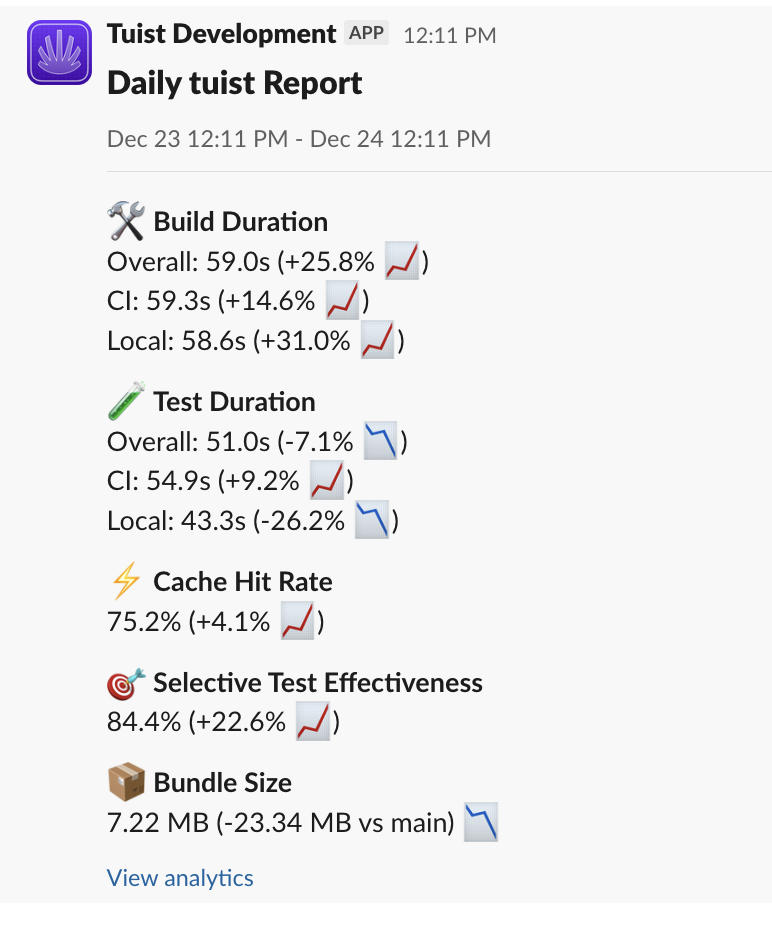
Each metric includes a trend indicator showing how it compares to the previous period. Is your p90 build time creeping up? Or your cache hit rate dropping? Tuist reports keep you up-to-date.
Alert rules
While reports are great for staying informed, some regressions need immediate attention. Alert rules let you define trigger notifications when something significant changes.
For example, you might configure an alert that fires when the p90 build duration increases by more than 20% compared to the previous 100 builds or when the cache hit rate drops by 30%.
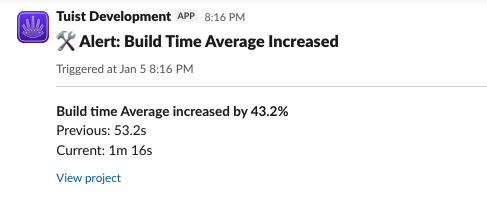
When an alert triggers, you get a Slack notification with the specific metric that regressed, the magnitude of the change, and links to investigate further. No more sifting through a week's worth of PRs to find the culprit, you'll know something went wrong within hours of the change landing. And a 24-hour cooldown prevents notification fatigue when a metric stays elevated, so you won't get spammed while investigating an issue.
Why this matters
The cost of a build time regression isn't just the extra seconds or minutes each build takes. It's the compounding effect across your entire team, multiplied by every build they run, every day the regression goes undetected. A 20% build time increase that goes unnoticed for a week can translate to hours or days of lost productivity. Not even mentioning the frustration and context-switching that slow builds cause.
Proactive monitoring turns unknown unknowns into known issues. You can't fix problems you don't know about, and the longer they persist, the harder they become to diagnose.
Getting started
To connect Slack to your Tuist project:
- Connect your Slack workspace in the Integrations tab
- Configure reports and alert rules in your project's notification settings
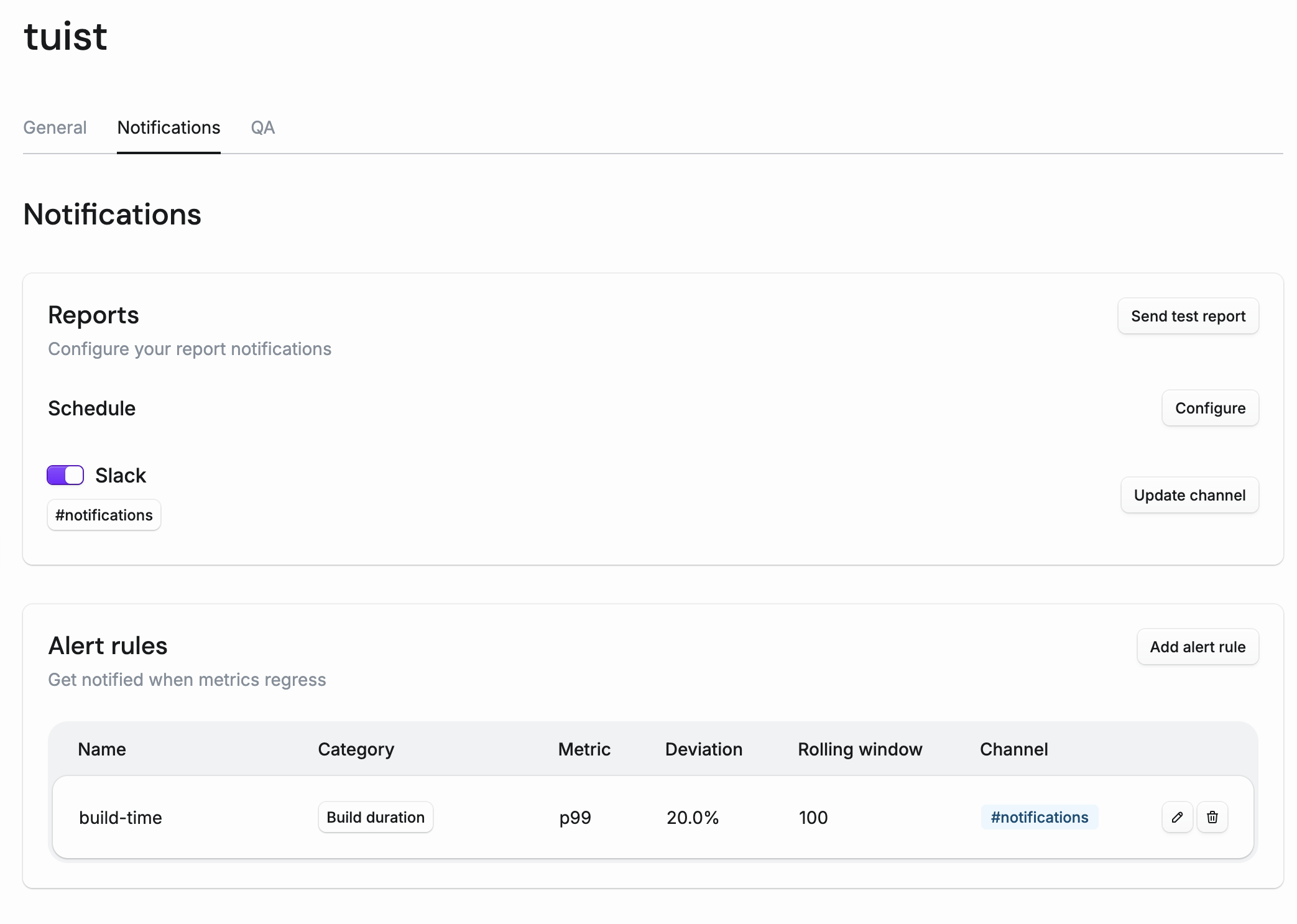
For detailed setup instructions, including configuration options and on-premise installation, see the Slack integration documentation.
What's next
This is just the beginning of making Tuist more proactive. We're working on:
- Email notifications: not everyone lives in Slack, so we're adding the option to receive reports and alerts via email
- Flaky test alerts: as we build out flaky test detection, you'll be able to get notified when a flaky test is introduced, so you can address it before it starts causing spurious CI failures
We're also eager to hear from you. What other events would you want to be notified about? What metrics matter most to your team? Let us know in our community forum as your feedback shapes what we build next.