Finding the right preview build is easier across the Tuist apps and dashboard. Add release notes to tell testers what changed, then use search and tracks to narrow down the builds they want to try.
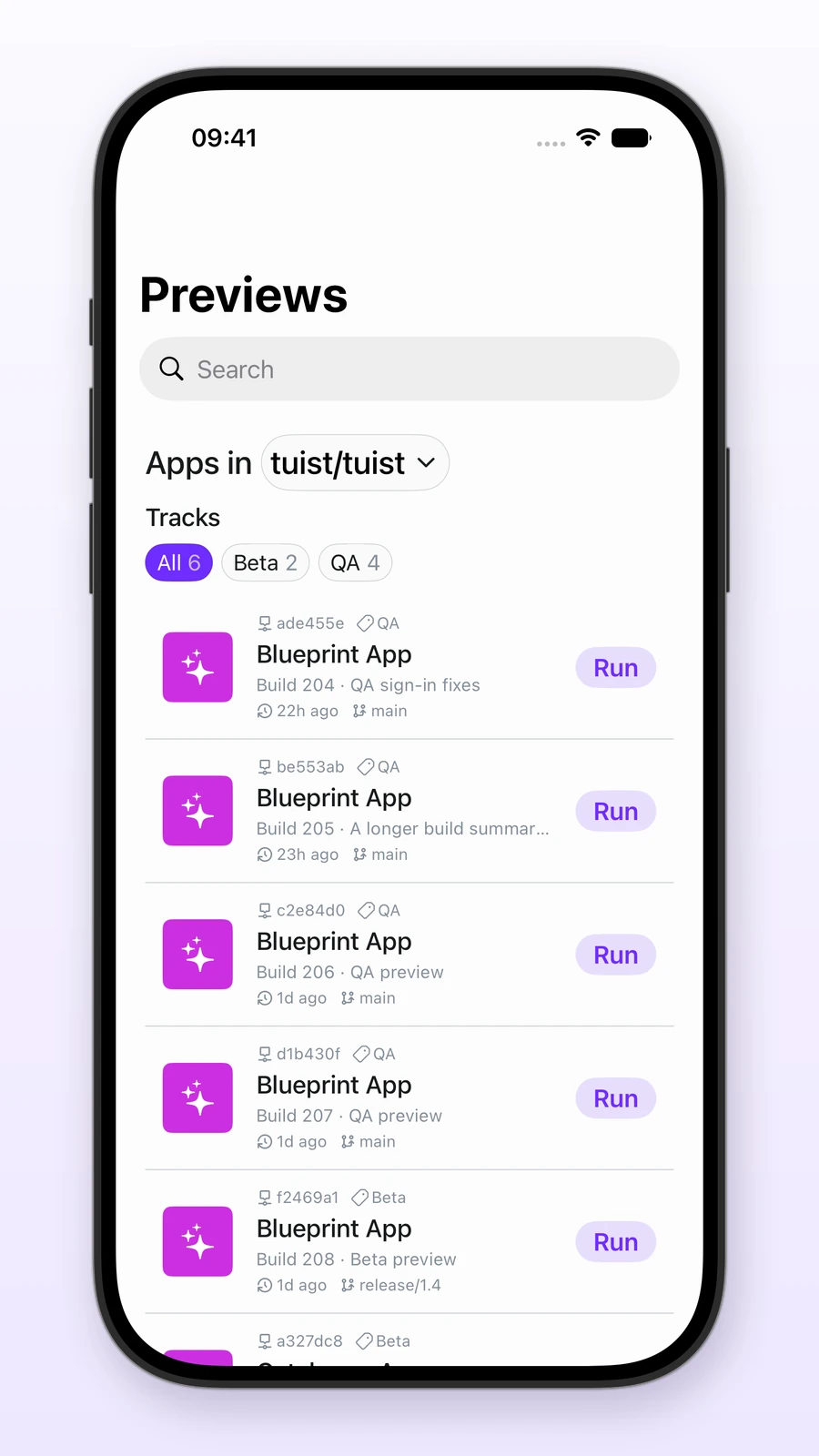
Captured on an iPhone 18 Pro simulator using example builds.
Build context at a glance
Attach plain-text release notes when sharing a preview. Put a build number or short summary on the first line, followed by any testing instructions:
tuist share App --track QA \
  --release-notes $'Build 204: sign-in fixes\nVerify checkout and payment processing'
Web and iOS preview lists show the first nonblank release-notes line, so testers can identify a build without opening its commit. Long summaries are truncated; full notes remain available on the detail page. Search on both platforms matches app names and the complete notes, including lines that are not visible in the list.
Search and filter on iOS
Choose a project, search for an app or something mentioned in its notes, and select a track such as QA, beta, or nightly. Each track pill shows its full-project build count, and each preview shows its track beside its commit hash.
Search and track filters work together across all pages. Counts stay project-wide as you filter, so you can see which other tracks have builds. Choose All to remove the track filter, or clear the search to remove the text filter. Pull down to refresh without losing either selection. If nothing matches, the empty state suggests adjusting the search or track instead of refreshing the same results.
Previews from every branch on macOS
The macOS app now discovers previews from every branch, even when the project has no default-branch preview. Selecting an app in the menu launches that app on the chosen device.
For self-hosted deployments, update the server, CLI, and companion app to use the new release-notes, search, and track-filtering features. See the app previews guide to get started.